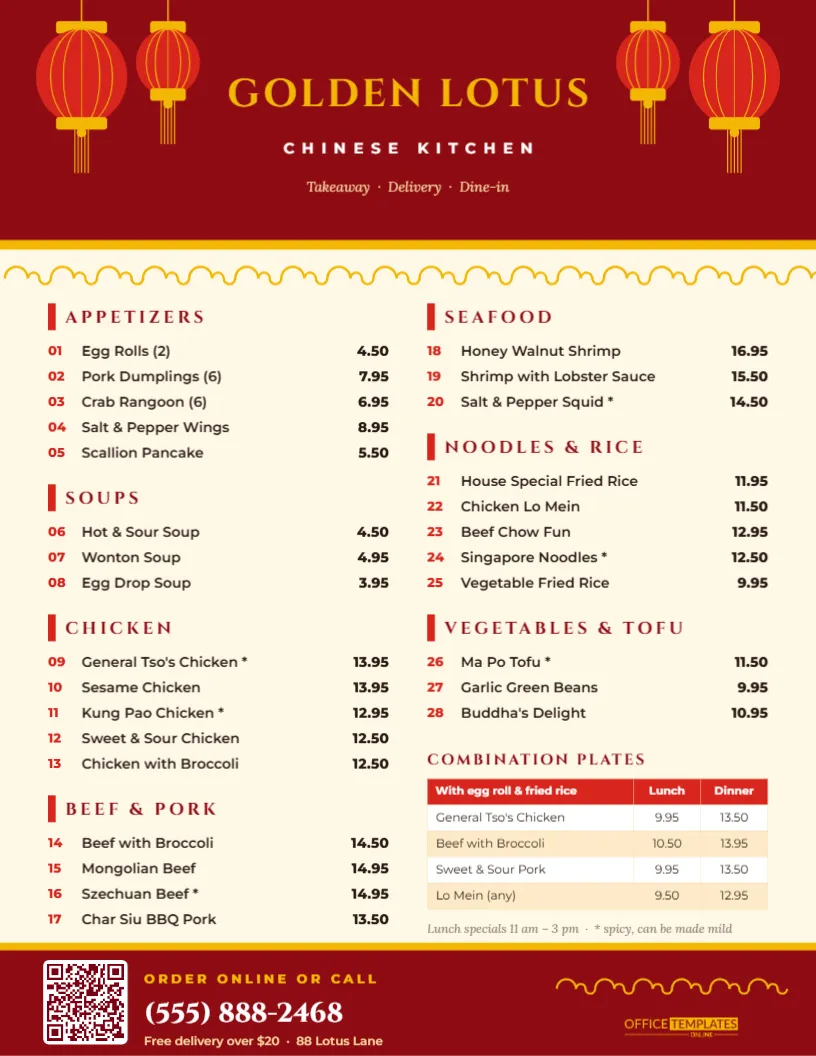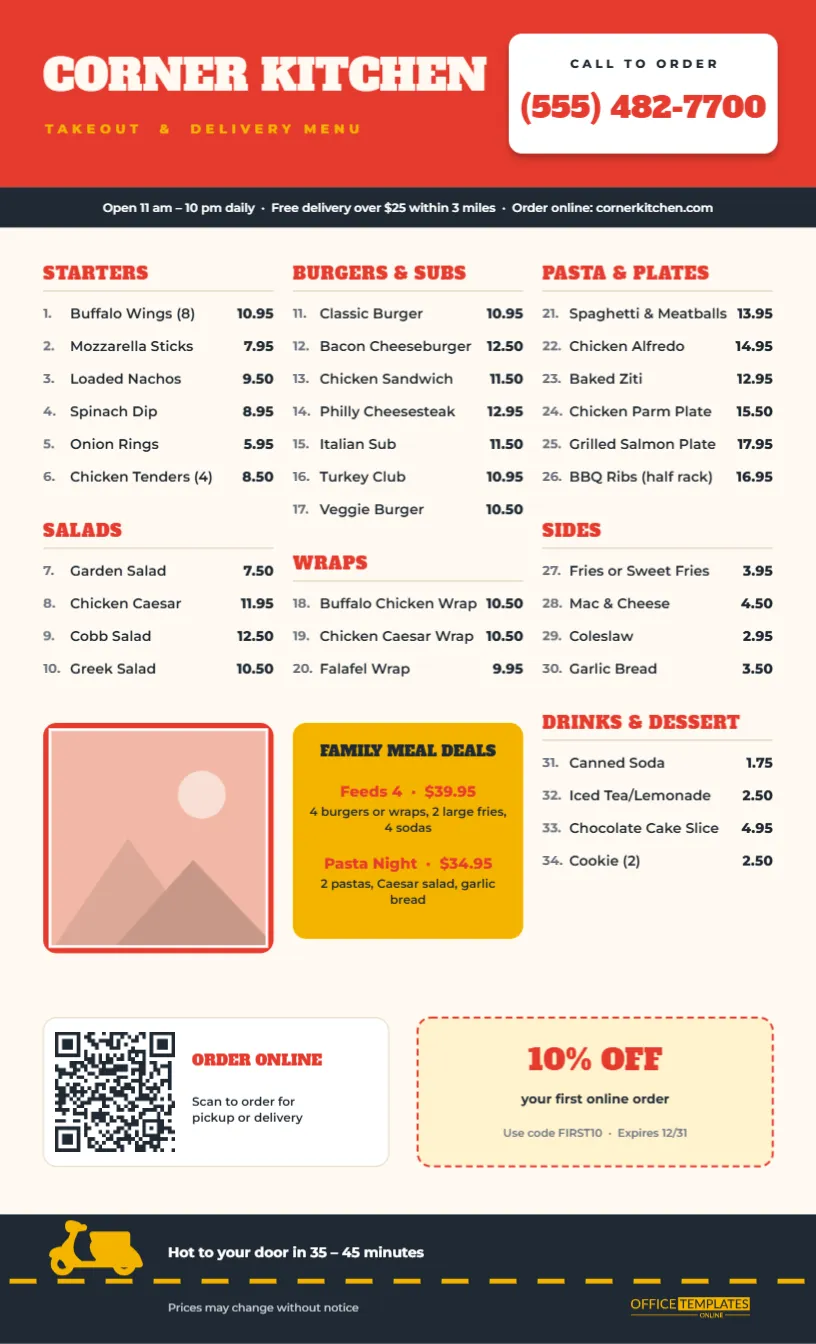
A takeout menu is a sales tool that lives in kitchen drawers, on fridge doors, and in the glove box. When someone is hungry and tired, they reach for it, and whether they order from you depends on how quickly they can find a dish and a phone number. This Takeout and Delivery Menu Template puts the phone number first, numbers every dish so phone orders go faster, and adds a QR code and a coupon to pull customers towards online ordering.
Built Around the Phone Call
The template uses US Legal paper, 8.5 x 14 inches, portrait. Legal size gives a takeout menu about a quarter more room than Letter, so three full columns fit without cramming. The layout, from top to bottom:
- A tomato-red order bar. On the left, CORNER KITCHEN in bold cream Alfa Slab One, with TAKEOUT & DELIVERY MENU in mustard capitals. On the right, a white card reads CALL TO ORDER over the phone number in big red slab lettering.
- A charcoal info strip with opening hours, the delivery minimum and radius, and the web address.
- Three columns of numbered dishes (1 to 34) under red slab headings: Starters, Salads, Burgers & Subs, Wraps, Pasta & Plates, Sides, and Drinks & Dessert. Numbers are grey, dish names are dark, and prices are bold on the right.
- A food photo frame with a red border under the salads, and a mustard FAMILY MEAL DEALS box under the wraps with two bundle offers.
- An order-online card with a QR code, and a dashed-border 10% OFF coupon for a first online order, with a code and an expiry date.
- A road footer: a charcoal strip with a dashed yellow lane line and a yellow delivery scooter, the line Hot to your door in 35 – 45 minutes, a price disclaimer, and our logo.
Why Every Dish Has a Number
Numbered menus aren’t just tradition. They make phone orders quicker and more accurate: two number 12s and a 27 is shorter to say, easier to hear over a noisy kitchen, and simpler to type into a till than long dish names. Here is how a typical call sounds with this menu:
Customer: Hi, delivery please, to 14 Birch Street.
Staff: Sure. What would you like?
Customer: Two number 12s, one 22, and a 27, and the Pasta Night deal.
Staff: Two Bacon Cheeseburgers, a Chicken Alfredo, one fries and the Pasta Night deal. Anything to drink?
Customer: Two 31s.
Staff: Two sodas. That’s about 40 minutes. Paying by card at the door?
Read the order back using dish names, as in the example. The number gets the order down quickly, and the name confirms it.
Editing the Menu
- Name and phone number: double-click the restaurant name and the number in the white card. Check the number twice. A wrong digit on a thousand printed menus is an expensive typo.
- Info strip: update hours, delivery minimum and radius, and your web address.
- Dishes: each line is a number, a name, and a price. Keep names short so they stay on one line, and use a new line rather than a long description.
- Photo: click the frame under the salads and choose Replace Image. A generous burger or a bowl of pasta works best.
- Family deals: rewrite the two bundles. Bundles that feed four are popular for weeknight delivery.
- QR code: select it and set your own ordering link in the QR options. The editor can also make QR codes for phone numbers, text messages, and more.
- Coupon: change the discount, code and expiry date, or delete it and let the order card fill the row.
If you renumber dishes, work from top to bottom and update your till system’s item codes to match, so staff and menus agree.
Getting Takeout Menus Into Kitchen Drawers
- In every bag: a menu with every order is the cheapest marketing a restaurant can do.
- Door-to-door: fold the menu in thirds (Legal paper folds neatly to about 8.5 x 4.7 inches) and drop it in nearby apartment buildings and offices, where local rules allow.
- Local noticeboards: libraries, gyms, laundromats and community centres often allow menus.
- Hotels and offices: leave a stack with front desks. Visitors are always looking for food that delivers.
- Online: post a PNG on your Google Business profile and social pages so the menu is searchable.
Printing Legal-Size Menus
Choose Legal as the paper size in your print dialog before printing; otherwise the printer may shrink the page to Letter and leave space. For bag stuffers, 24 lb bright white paper is inexpensive and folds well. For a counter menu, use 80 lb gloss text or card. Coated paper makes the red header vivid and resists grease. A print shop can print on both sides if you want to add catering or a map on the back. Use Add Page in the editor to create the back page and download both as one PDF.
Takeout Menu Questions
Can I print it on Letter paper instead?
You can, but the page will scale down, and the text will get smaller. For Letter size, remove the photo and one section so the rest can stay a readable size.
Will the QR code work after printing?
Yes, as long as it prints at least about one inch wide with a white border around it, as it does here. Always scan a test print with two different phones.
How do I show delivery-only or pickup-only items?
Add a small note after the name, such as (pickup only), or put a short legend in the info strip.
Can I show prices without delivery fees?
Menu prices normally exclude delivery fees and tips. The footer line Prices may change without notice can become Delivery fee $2.99 · Prices exclude tax.
Ready When They’re Hungry
Put your number where nobody can miss it, number your dishes and add a QR code for online orders. Print a stack for every bag leaving your kitchen, and let this menu win you the next order, and the one after that.