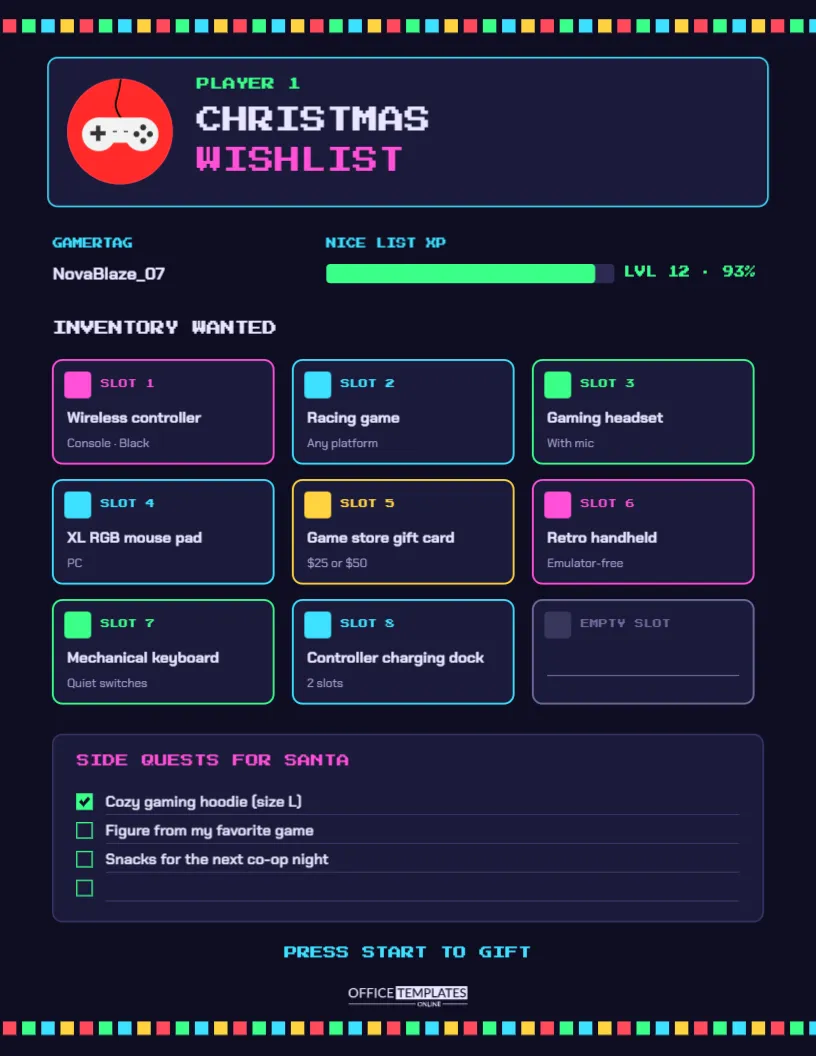
Gamers know exactly what they want for Christmas, down to the edition, the platform, and the colour of the controller. Their families, on the other hand, often do not know a headset from a keyboard switch. A Gamer Wish List closes that gap. It is fun for the gamer to fill in, and it gives parents, partners, and grandparents all the details they need to buy the right thing. This template looks like a video game screen, complete with an inventory grid.
Game On: The HUD Layout
The page is US Letter portrait, 8.5 x 11 inches, on a dark navy-black background. A border of pixel squares in red, green, cyan, and yellow runs along the top and bottom like retro Christmas lights. The header panel, outlined in cyan, shows a red game-controller badge beside PLAYER 1 in neon green and CHRISTMAS WISHLIST in the blocky Press Start 2P pixel font, with Christmas in white and Wishlist in hot pink.
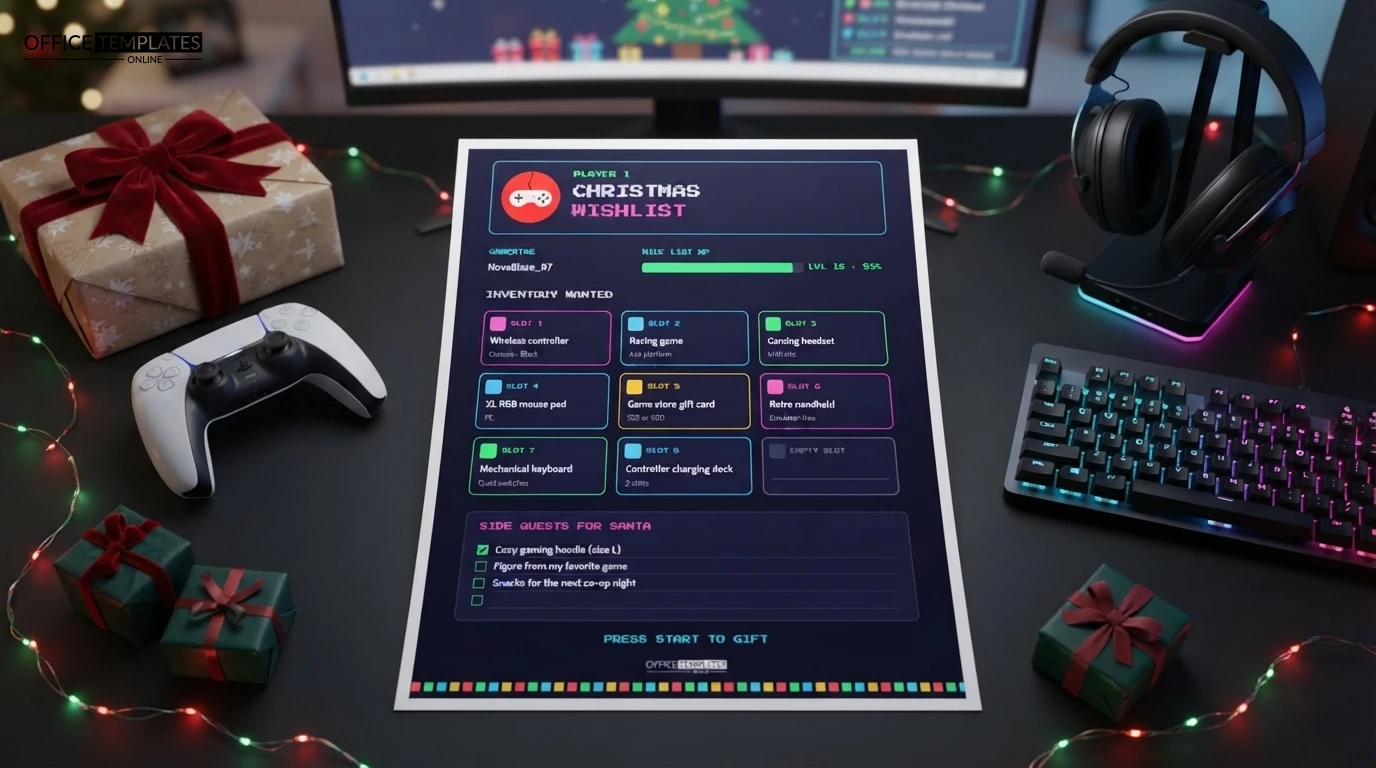
Below it are two stats: a gamertag (NovaBlaze_07 in the sample) and a Nice List XP bar in neon green, filled to 93% at level 12. The main feature is the Inventory Wanted grid: nine slots in three rows, each with a neon outline in pink, cyan, green, or yellow, a coloured marker square, a slot number, the item name in bold, and a detail line. The ninth slot is shown as an empty slot, ready for one more wish. A Side Quests for Santa panel lists smaller wishes with checkboxes, and Press Start to Gift sits above the bottom border and our logo.
A Gamer Glossary for Parents and Relatives
If you are buying for a gamer and the list looks like another language, this quick guide helps:
| Term | What it means for your gift | |
|---|---|---|
| Platform | The console or device the game runs on. | |
| A game for one console will not work on another, so always check the platform on the list. | ||
| Edition | Standard, deluxe, or collector’s editions include different extras; buy the one named. | |
| DLC | Downloadable content: extra levels or items for a game the player already owns. | |
| Gift card/store credit | Credit for a console or PC game store. | Check that it matches the player’s platform and region. |
| Age rating | Games carry ratings such as ESRB in North America or PEGI in Europe. Check the rating for younger players. | |
| Headset, mouse, keyboard | Accessories often come in wired and wireless versions and must be compatible with the player’s device. |
Filling the Inventory Grid
Each slot holds one wish. Put the item name on the first line and the detail that matters on the second: platform, colour, size, or price. The sample inventory includes a wireless controller (console, black), a racing game (any platform), a gaming headset with a mic, an XL RGB mouse pad for PC, a $25 or $50 game store gift card, a retro handheld, a mechanical keyboard with quiet switches, and a two-slot controller charging dock.
The side quests are smaller or non-gaming wishes: in the sample, a cozy gaming hoodie in size L (already ticked off), a figure from a favourite game, and snacks for the next co-op night. There is space for one more.
Customizing Your Player Card
- Change the gamertag, level, and XP percentage. The XP bar is two shapes, a dark track and a green fill, so resize the green bar to show a different level of niceness.
- Click the item and detail lines in each slot to type your own wishes.
- Recolour a slot’s outline and marker to show priority, for example pink for top wishes and cyan for the rest.
- The controller badge is an editable vector; recolour it from its colour swatches or delete it.
- For a younger gamer, change Player 1 to their name. For siblings, duplicate the page for Player 2.
Gift Cards, Done Right
Gift cards are the safest choice when you are not sure which game to buy, and most gamers are genuinely happy to receive them. A few tips: match the card to the player’s platform, buy from a reputable retailer, and keep the receipt. Digital codes can often be emailed; physical cards can be wrapped with a small gaming treat, like a themed keyring or snacks for a gaming night.
Screen Time Talk for Families
A wish list full of games can also be a nice moment to talk about balance. Some families pair a new game with an agreement about screen time, or add a non-screen side quest gift such as a board game, a book set in a favourite game world, or a craft kit. The side quests panel is ideal for those.
Printing Tips for a Dark Page
The dark background is designed to look great on screen, so sharing a PNG in a group chat or by email is the easiest option. If you print, use a colour printer on US Letter at actual size (or fit to A4); neon colours look strongest on bright white glossy or matte photo paper.
Checking Compatibility Before You Buy
Most gaming gift disappointments come down to compatibility. Before buying, check three things against the list: the platform (a game or controller made for one console will not work on another), the connection (some headsets and controllers only work wirelessly with certain devices), and the storage space (big games may need room the console does not have). If in doubt, ask the gamer’s parent or partner to check the console model quietly, or choose a gift card instead. Keep receipts and gift receipts together, because accessories are much easier to exchange than downloaded games.
Gamer Wishlist FAQ
Is the pixel font easy to read?
The pixel font is used only for headings. Item names are set in Chakra Petch, a clear sans-serif.
Can I make it for a board gamer?
Sure. Rename the grid to Games Wanted and list board games, expansions, and accessories.
What size is the page?
US Letter, 8.5 x 11 inches, portrait.
Level Up Christmas
Fill your inventory, complete your side quests, and hand the list to the people buying your gifts. Press start, and let Christmas load.