A Vertical Red Bar and a White Positions Panel
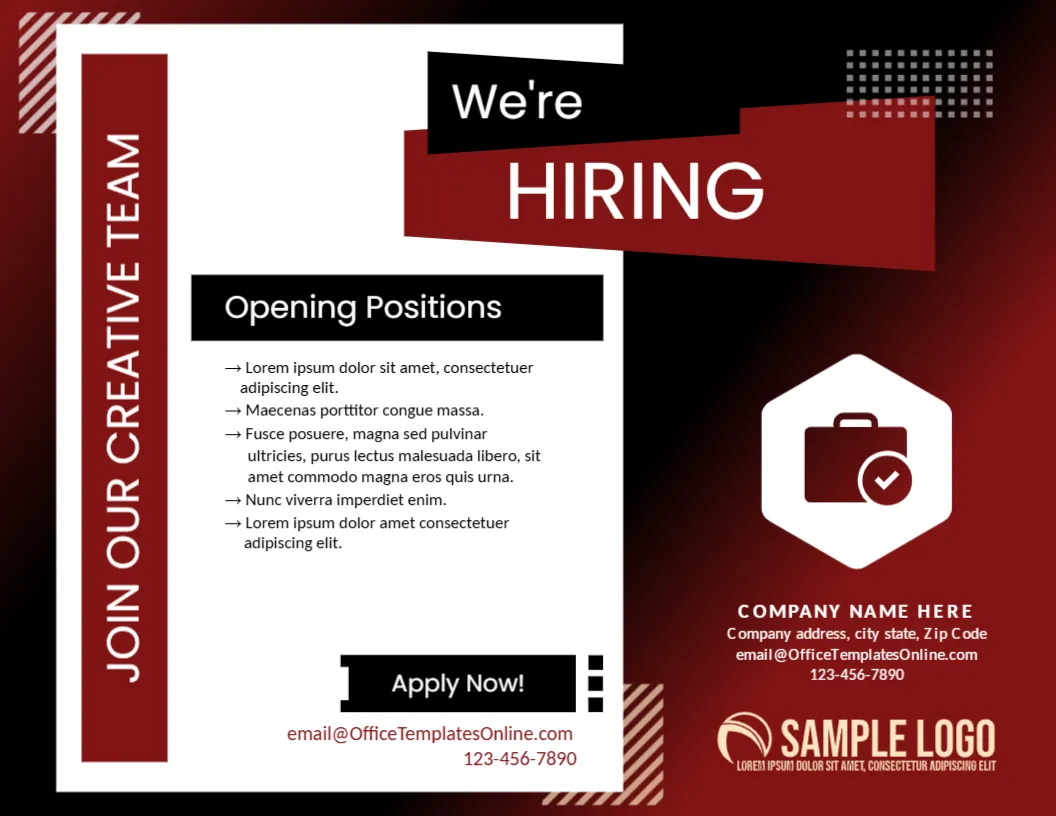
A deep red to black gradient fills this landscape poster, with a tall white panel on the left holding a vertical red bar reading JOIN OUR CREATIVE TEAM. A black and red We’re HIRING banner crosses the top of the panel, and an Opening Positions box lists five arrow bullets. A hexagon with a briefcase and a check mark sits at the right, above company details and a SAMPLE LOGO, with an Apply Now! tag and a contact line at the foot of the panel.
A Landscape Poster With a Panel
The page is 11 x 8.5 inches. The white panel keeps the list readable, while the dark red area carries the branding and contact details.
Positions and Contacts
Replace the five Lorem ipsum bullets with real roles, and the company name, address and phone at the right. Two email lines use OfficeTemplatesOnline.com, one in the red block and one under Apply Now!, so change both. The vertical bar says JOIN OUR CREATIVE TEAM, so adjust it for other departments.
Preparing the Creative Hiring Poster
- Edit the vertical bar text.
- List the open roles.
- Replace both email lines.
- Swap the logo.
- Print in colour.
Aimed at Designers and Makers
The words creative team and the bold red palette appeal to designers, writers and marketers. Choose the bar text to match the roles, so the right people stop to read.
A Hexagon Briefcase Icon
The white hexagon with a briefcase and a check mark says jobs and approval. It balances the heavy panel at the left, and it stands out against the dark red.
White Space Inside the Panel
The panel gives the list room to breathe. Keep bullets short, and do not squeeze extra text into the panel, or it will lose its clean look.
A Clear Apply Now Tag
The black Apply Now! tag with a notched edge points readers to the contact line. Place the application email and phone directly under it.
Red and Black Branding
A deep red gradient looks dramatic. It suits agencies, studios and media companies, though a hospital or a school might prefer a calmer colour.
Printing Dark Gradients
The red and black gradient uses plenty of ink. Print one test page, and if the gradient shows banding, choose the best quality setting or a print shop.
Keeping the Poster Current
Remove filled positions straight away. An old poster with closed roles wastes applicants time and reflects badly on the company.
Step by Step Editing of the Hiring Poster Creative Team Red Black White Panel Design
- On the hiring poster creative team red black white panel design, click the main headline and type your own words, keeping a similar length.
- Retype every name, date and contact line on the hiring poster creative team red black white panel design, checking each against a trusted source.
- Search the hiring poster creative team red black white panel design for the words Lorem and Company so that no placeholder remains.
- Click any logo or photo on the hiring poster creative team red black white panel design, choose Replace Image and resize the new picture to fit.
- Zoom the hiring poster creative team red black white panel design to full size and read each line aloud before you save it.
- Keep a clean master of the hiring poster creative team red black white panel design without private details, so later versions start tidy.
Consider the corporate hiring poster. Similar designs include the three job circles flyer. Compare it with the job hiring poster. Looking beyond the hiring poster creative team red black white panel design? See all announcement templates.