An Announcement for Sharing the News of a Wedding
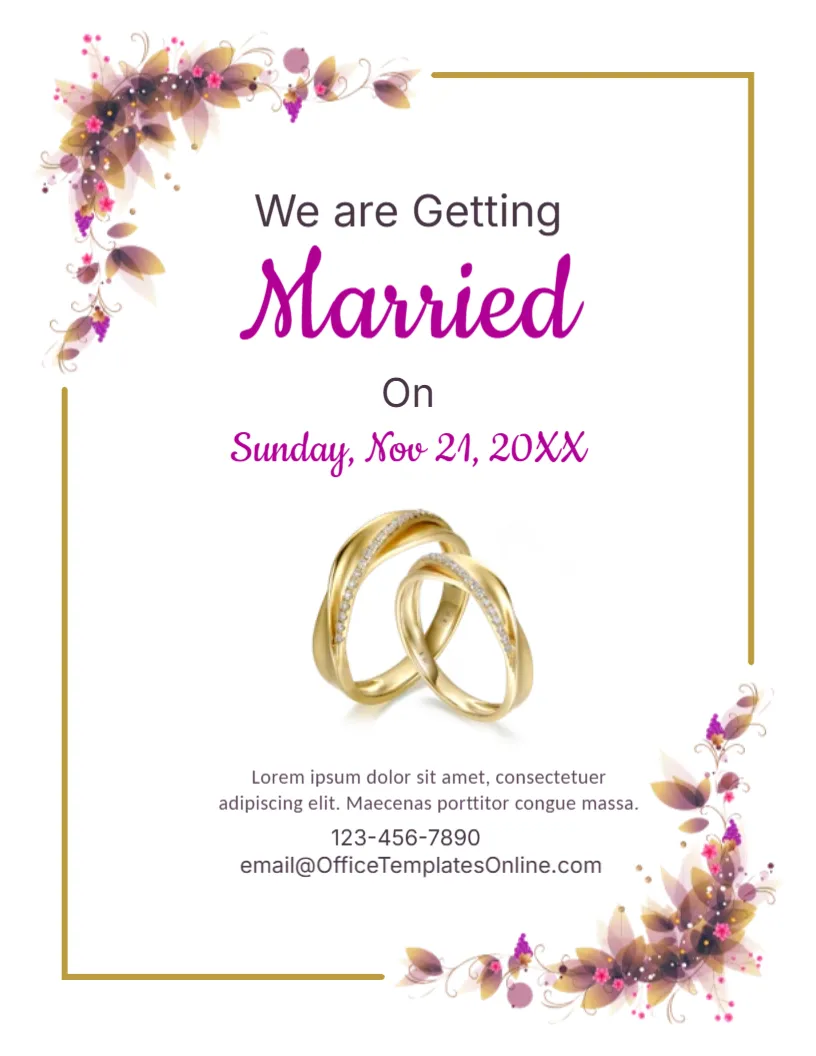
Couples often want to share news of their wedding before the formal invitations are ready. This announcement does that with a simple card: purple and gold floral corners, two intertwined golden rings and the words We are Getting Married in a mix of sans serif and script. It suits couples who send the news by email, message or post, as a save the date or a general announcement.
Floral Corners, Gold Frame and Rings
The page is 8.5 x 11 inches, portrait, one page. A thin gold frame outlines the page, broken at the top left and the lower right by clusters of purple, pink and golden flowers. A photograph of two gold rings sits in the centre. The fonts are Inter, Cookie and Carlito.
Headline, Date and Details
We are Getting is in grey, Married in a purple script, On in plain type, and Sunday, Nov 21, 20XX in purple script. Below the rings, a short paragraph and the lines 123-456-7890 and [email protected] give the contact details. Add the names of the couple, since the sample has no space for them, by placing a text box under the headline. Replace the paragraph with a sentence about the venue or an invitation to follow.
What to Add to a Wedding Announcement
- Names of the couple.
- Date and city or venue.
- Whether a formal invitation will follow.
- A website or contact for guests.
- A short note of thanks.
Announcement or Save the Date
An announcement tells people about the wedding. A save the date asks them to keep a day free. Both can use this design. For a save the date, add the phrase Save the Date and the city. For an announcement of a past wedding, write the date in the past tense.
Choosing Between Print and Digital
Digital announcements are quick and cost nothing. Printed cards feel special for relatives and older guests. If you do both, send the digital version first and post the cards later with a handwritten line.
Printing the Wedding Announcement
Use 250 gsm card with a matte finish for a keepsake. The gold and purple prints richly in colour. Ask a friend to check names and dates before sending.
Step by Step Editing of the Wedding Rings Design
- On the wedding rings design, click the main headline and type your own words, keeping a similar length.
- Retype every name, date and contact line on the wedding rings design, checking each against a trusted source.
- Search the wedding rings design for the words Lorem and Company so that no placeholder remains.
- Click any logo or photo on the wedding rings design, choose Replace Image and resize the new picture to fit.
- Zoom the wedding rings design to full size and read each line aloud before you save it.
- Keep a clean master of the wedding rings design without private details, so later versions start tidy.
Another option is the birth announcement template. Related reading is the graduation party announcement. Also worth a look: funeral announcement card. The rest of the series around the wedding rings design is in announcements.