A Flash Sale Poster That Nobody Can Scroll Past
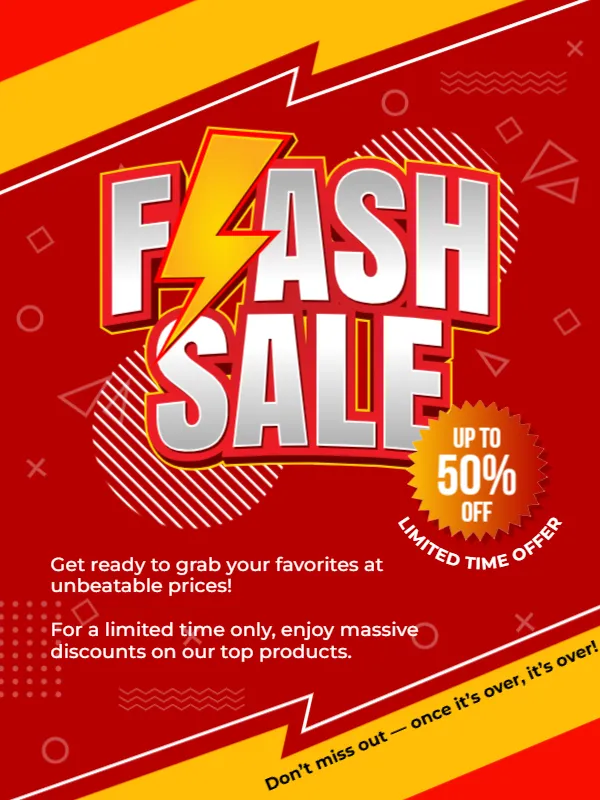
A flash sale only works if people notice it fast. This announcement uses the strongest colours available: a red page with yellow diagonal bars, huge chrome lettering that spells FLASH SALE with a lightning bolt through the F, and a starburst badge that says UP TO 50% OFF. It suits shops, online stores, restaurants and service providers with a short discount period.
Diagonal Bands, Lightning Bolt and Badge
The design is 600 x 800 pixels, portrait, one page. Yellow and red bands slice across the top and the bottom, and thin geometric outlines, such as circles, triangles and crosses, float across the red. The title is in silver gradient letters with a red outline. An orange starburst at the right holds UP TO 50% OFF, and the words LIMITED TIME OFFER run along its tail. The fonts are Montserrat and Bebas Neue.
Supporting Lines and the Closing Warning
Two lines at the left explain the offer: Get ready to grab your favorites at unbeatable prices! and For a limited time only, enjoy massive discounts on our top products. A tilted line at the foot reads Don’t miss out, once it’s over, it’s over! Replace the percentage, name the products or categories, and add the exact dates and times of the sale, which the sample does not show.
Rules for an Honest Flash Sale
- State the start and end time.
- Say which products are included.
- Show the real discount, not an inflated one.
- Mention limits, such as one per customer.
- Include where to buy and how to claim.
Giving the Sale a Clock
A deadline drives action. Add a line such as Today only, 9 am to 9 pm, or Ends Sunday midnight. If the sale is online, add a countdown sticker in your story. Never extend a sale repeatedly, since customers stop believing in deadlines.
Following Consumer Rules
Many countries regulate how discounts are advertised, including how the original price must be shown. Check the rules that apply to your business. This is general advice, not legal advice.
Saving the Flash Sale Post
High contrast designs stay readable at small sizes. Check the post on a phone, make sure the badge does not hide any key words, and save in the format your platform needs.
Step by Step Editing of the Flash Sale Design
- On the flash sale design, click the main headline and type your own words, keeping a similar length.
- Retype every name, date and contact line on the flash sale design, checking each against a trusted source.
- Search the flash sale design for the words Lorem and Company so that no placeholder remains.
- Click any logo or photo on the flash sale design, choose Replace Image and resize the new picture to fit.
- Zoom the flash sale design to full size and read each line aloud before you save it.
- Keep a clean master of the flash sale design without private details, so later versions start tidy.
Another option is the seasonal sale announcement. A related layout is the discount offer announcement. Also worth a look: giveaway announcement. Every flash sale style alternative sits in announcements.