Pinterest works differently from other social platforms. People search it to plan, and many start searching for gift ideas and Black Friday deals weeks before the sales begin. A pin that lists your best deals in a clean, magazine-style layout can keep bringing in clicks long after you post it. This 1000 x 1500 pin template presents six hand-picked deals as a tidy editorial list.
Layout of the Six Deals Pin
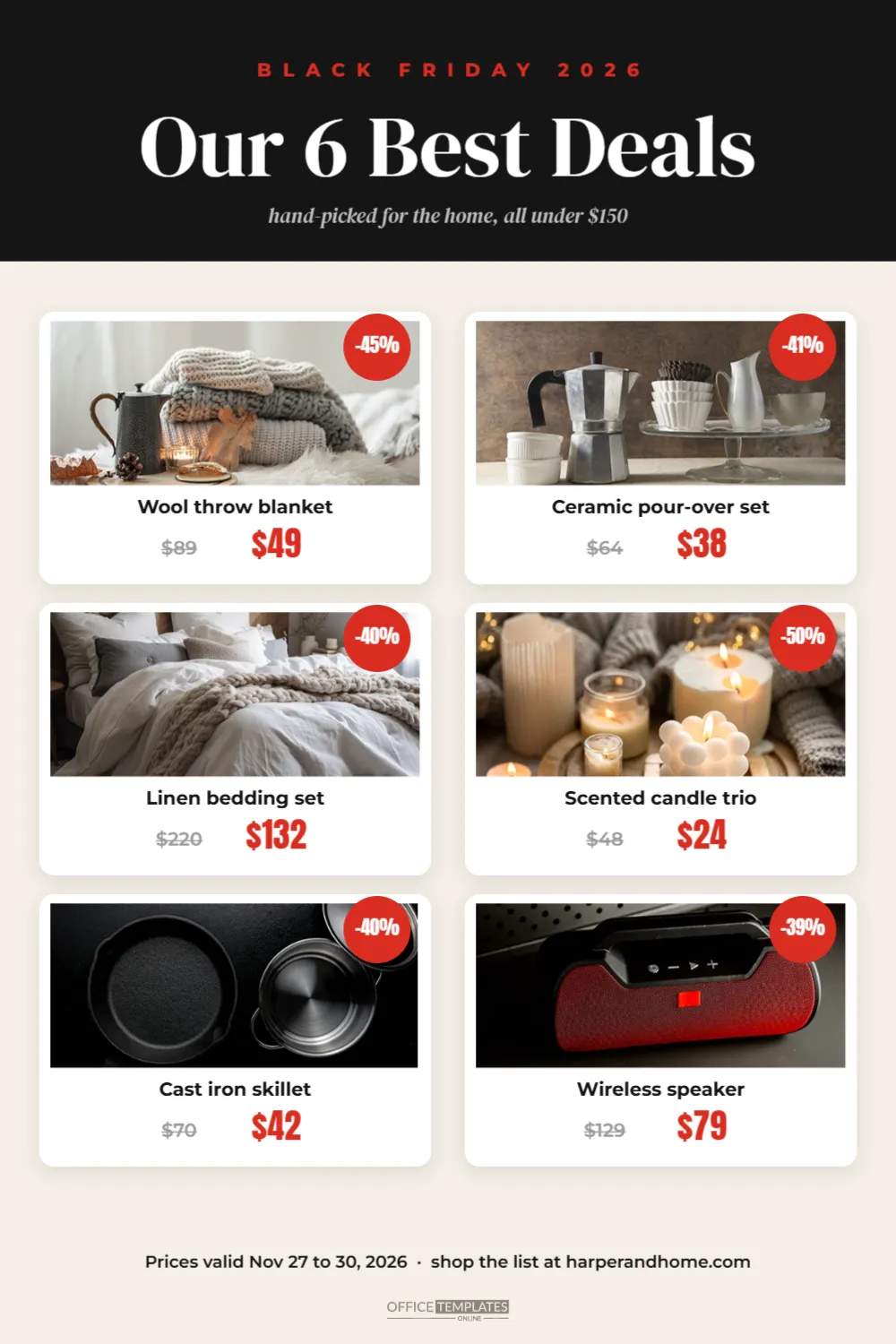
The pin uses Pinterest’s preferred 2:3 portrait shape. The top is a solid black header with a red kicker, BLACK FRIDAY 2026, above a white serif headline, Our 6 Best Deals, and a soft grey italic subtitle: hand-picked for the home, all under $150.
Below the header, on a warm cream background, six white product cards are arranged in two columns of three. Each card has a soft shadow, a photo area at the top, and a small red circle badge in its corner showing the percentage saved. Under the photo, the product name appears in bold, followed by the original price in grey with a line through it and the sale price in large red condensed numbers.
The sample deals are home products: a wool throw blanket, a ceramic pour-over coffee set, a linen bedding set, a scented candle trio, a cast iron skillet, and a wireless speaker. A footer line gives the dates and the shop link, and the brand mark sits at the very bottom.
Why List Pins Perform Well on Pinterest
- They answer a search. People type Black Friday home deals, and a list pin matches exactly what they want.
- They are saved for later. Shoppers save lists to boards and come back when the sale starts.
- They show variety. Six products give six reasons to click, instead of one.
- They look editorial. A clean layout feels like advice, not an advert.
Adding Products and Prices
Click each photo area and choose Replace Image to add a product photo. Photos with simple, light backgrounds look best in the small cards. Then edit the product name, original price, and sale price. Calculate the percentage badge from the two prices; for example, $89 down to $49 is about 45% off. Keep names short so they fit on one line.
Calculating the Discount Badges
| Was | Now | Badge |
|---|---|---|
| $89 | $49 | -45% |
| $64 | $38 | -41% |
| $220 | $132 | -40% |
| $48 | $24 | -50% |
| $70 | $42 | -40% |
| $129 | $79 | -39% |
To work out a badge, divide the sale price by the original price, subtract the result from 1, and multiply by 100. Round to the nearest whole number.
Writing the Black Friday Pin Title and Description
Pinterest is a search engine as much as a social network, so the words you add when you upload matter. Use a clear title with the words people search for, such as Black Friday Home Deals 2026: 6 Best Buys Under $150. In the description, mention the product types and your shop name in natural sentences. Add the link to a sale page that shows the same products, so people find exactly what the pin promised.
When to Pin Black Friday Content
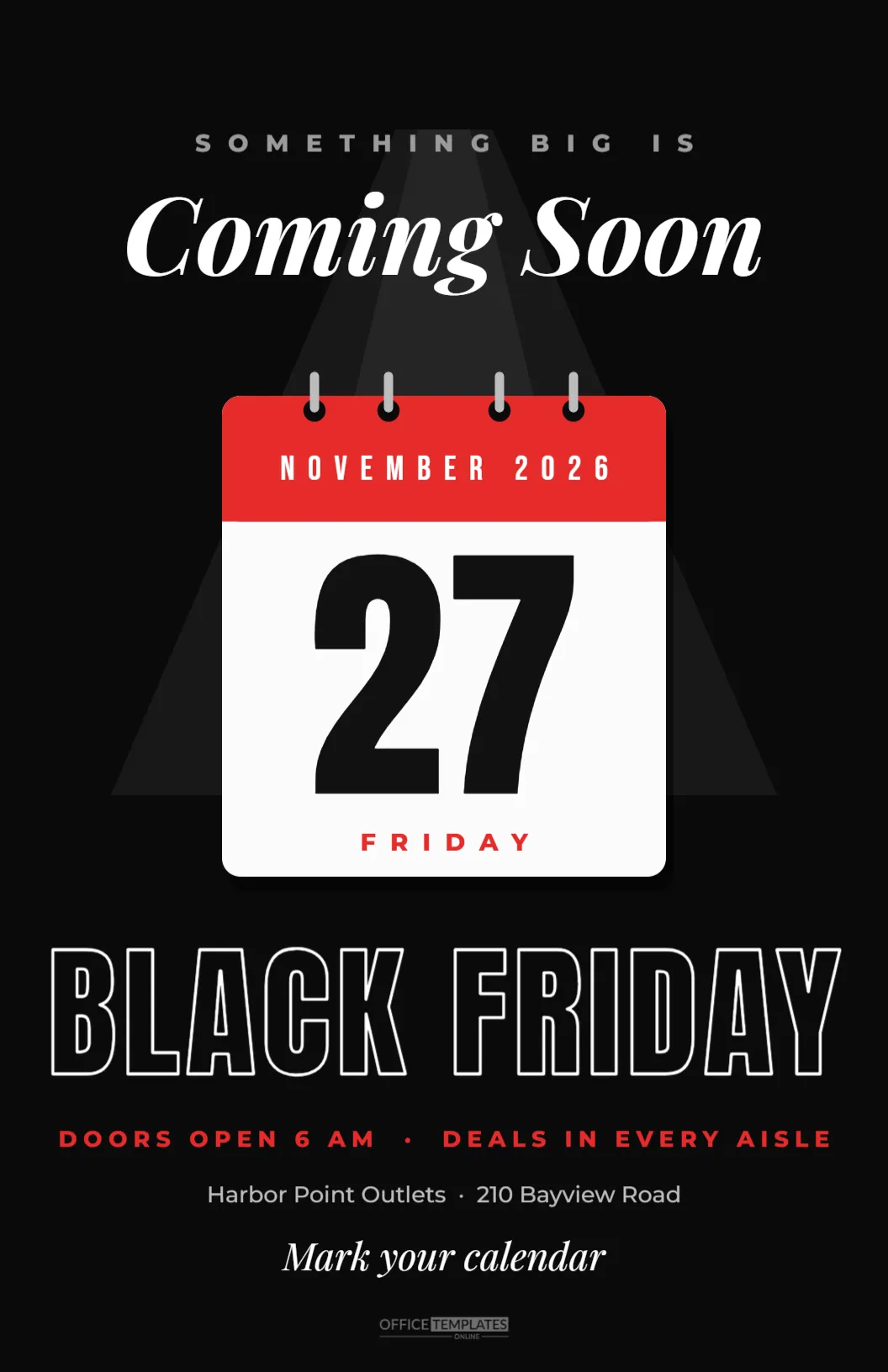
Pinterest content can take time to be seen in search results, so pin early. Many brands start publishing holiday and Black Friday pins in October and early November. You can pin a coming soon version with your planned deals, then update the destination page when prices go live. Keep pinning fresh variations through the weekend, because Pinterest favours new images.
Creating Different Black Friday Pins From One Template
Duplicate the template to cover different interests, each with six products:
- 6 Best Kitchen Deals
- 6 Gifts for Him Under $50
- 6 Cosy Home Deals
- 6 Tech Deals Worth Buying
- 6 Stocking Stuffers on Sale
Each pin targets a different search, multiplying your chances of being found.
Pinterest Pin Colour Choices
The black header and cream page give a calm editorial feel. For a brighter look, change the header to deep green for a holiday mood or navy for a classic catalogue style. Keep the price numbers in one accent colour throughout, so the eye moves from deal to deal.
Keeping Deal Pins Accurate
Pins live for a long time. After the sale, people may still find the pin, so update the landing page to explain that the Black Friday prices have ended and show current offers instead. That keeps visitors happy and turns old pins into ongoing traffic.
Using the Deal List on Other Channels
The tall layout also suits a blog post image, an email section, or a printed in-store list. For Instagram, crop it to 1080 x 1350 and keep four cards instead of six.
Choosing Six Deals That Belong Together
A list pin feels trustworthy when the products clearly belong together. Pick a theme first, such as cosy home, coffee lovers, the home cook, or the gamer, and then choose six products that fit it. Mix price points so there is something affordable and something special. Avoid filling the list with near-identical items; six different products give six different reasons to click. If a deal sells out before the end of the weekend, swap it for another so the pin’s landing page still matches.
Photographing Products for Small Cards
In a list pin, each photo is small, so simplicity matters. Shoot products against a plain light background, fill most of the frame, and use soft daylight from a window to avoid harsh shadows. Shoot all six in the same way, with the same background and angle, so the cards look like a set. A consistent look is what makes a list pin feel like a magazine page rather than a collage of random images.
Building a Black Friday Board
Create a Pinterest board called Black Friday Deals or Holiday Gift Ideas on your profile and save all your sale pins to it. Add a short board description with the words shoppers use, such as Black Friday home deals and gift ideas under $50. Boards appear in search too, and a full board gives visitors many more chances to find a product they love.
Black Friday Pinterest Pin Questions
Can I show fewer than six deals?
Yes. Delete two cards and spread the remaining four over the space, then change the headline to Our 4 Best Deals.
Can I link each product separately?
A pin has one link. Point it to a sale page that lists all six products.
Can I use product photos from suppliers?
Only if your supplier allows it. Your own photos often perform better because they look unique.
A good deal list is useful, and useful pins get saved. Add your six best deals, write a clear title, and let Pinterest bring shoppers to your sale.