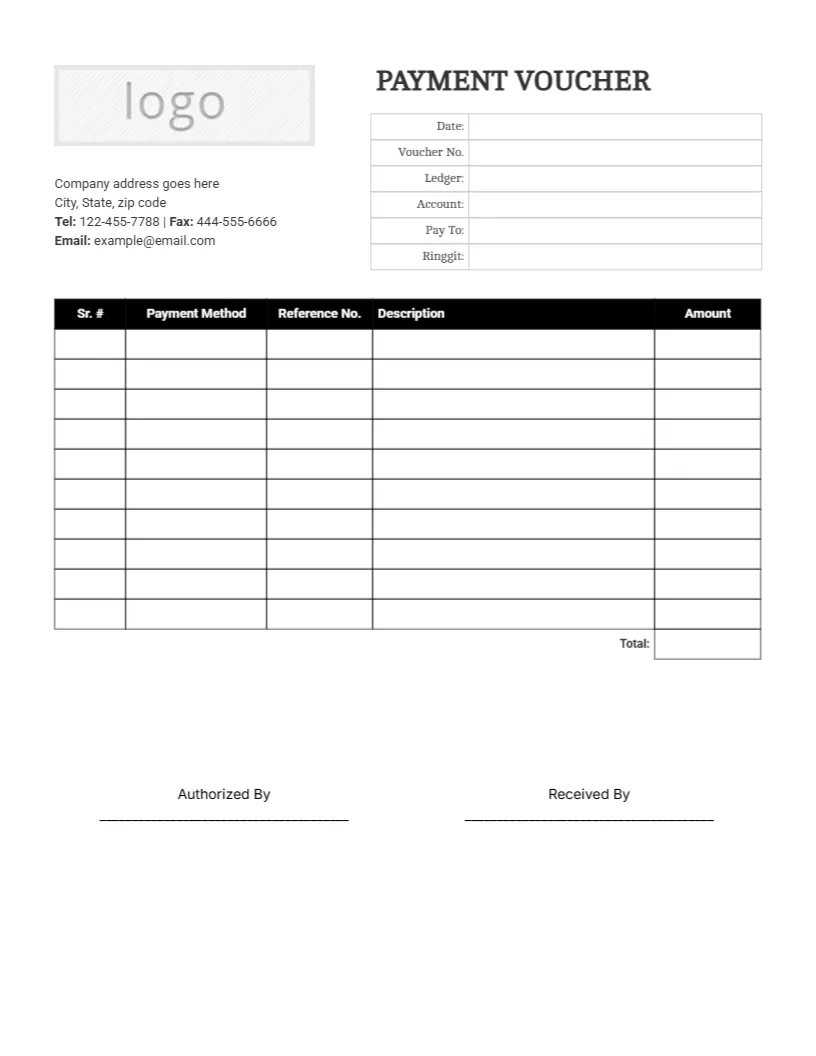
A Plain Payment Voucher With a Header Box, Table and Two Signatures
A grey logo box and a short company address block sit at the top left of this black and white page, with PAYMENT VOUCHER and a six row box at the top right for Date, Voucher No., Ledger, Account, Pay To and Ringgit. A black headed table with Sr. #, Payment Method, Reference No., Description and Amount runs down the middle to a Total cell, with Authorized By and Received By lines at the foot.
A Letter Page for Office Records
The page is 8.5 x 11 inches and prints on any office printer. Black and white artwork keeps copying costs low, which matters for a form that accounts staff may fill out hundreds of times a year.
Header Box, Table and Currency Label
Replace the logo placeholder and the sample company block, then fill Date, Voucher No., Ledger, Account and Pay To for each payment. The last header line is labelled Ringgit, a Malaysian currency name used for the amount in words, so rename it to your own currency such as Dollars or Pounds before printing.
Preparing the Payment Voucher
- Add the company logo.
- Edit the company address block.
- Fix the Ringgit label.
- Fill the payment table.
- Collect both signatures.
One Voucher for One Payment
A payment voucher records a single payment made by a business, with who was paid, how, and why. Keeping one sheet per payment makes later checks simple, because every figure has its own page and number.
Voucher Numbers in Sequence
The Voucher No. line should follow a running sequence with no gaps. A missing number is the first thing an auditor notices, so cancel unused vouchers by marking them void instead of discarding them.
Ledger and Account Lines
The Ledger and Account lines tie the payment to your books. Write the ledger name and the account code your bookkeeper uses, so that the entry can be posted without a phone call.
A Table for Several Items
Nine blank rows let one voucher cover several invoices or items paid together. Give each its own payment method, reference number, description and amount, and add the Total at the bottom.
Payment Method and Reference Columns
Record cash, cheque, transfer or card, and then a cheque number or a bank reference. The reference is the link between this paper and the bank statement, so never leave it blank for a bank payment.
Authorised By and Received By
Two signature lines separate the person who approves from the person who receives the money. Splitting the roles is a basic control, so the person approving should not also be the one who collects the payment.
Keeping and Filing Vouchers
File vouchers by number, with the supporting invoice stapled behind. This layout is a form and not accounting or tax advice, so follow the record keeping rules that apply to your business.
Step by Step Editing of the Payment Voucher Template Ledger Account Pay To Table Design
- On the payment voucher template ledger account pay to table design, click the main headline and type your own words, keeping a similar length.
- Retype every name, date and contact line on the payment voucher template ledger account pay to table design, checking each against a trusted source.
- Search the payment voucher template ledger account pay to table design for the words Lorem and Company so that no placeholder remains.
- Click any logo or photo on the payment voucher template ledger account pay to table design, choose Replace Image and resize the new picture to fit.
- Zoom the payment voucher template ledger account pay to table design to full size and read each line aloud before you save it.
- Keep a clean master of the payment voucher template ledger account pay to table design without private details, so later versions start tidy.
Compare it with the vendor payment voucher. You may also like the contractor payment voucher. For comparison, open the refund payment voucher. The rest of the series around the payment voucher template ledger account pay to table design is in payment voucher templates.