A Vertical PRESS Bar and a Barcode Back for Reporters
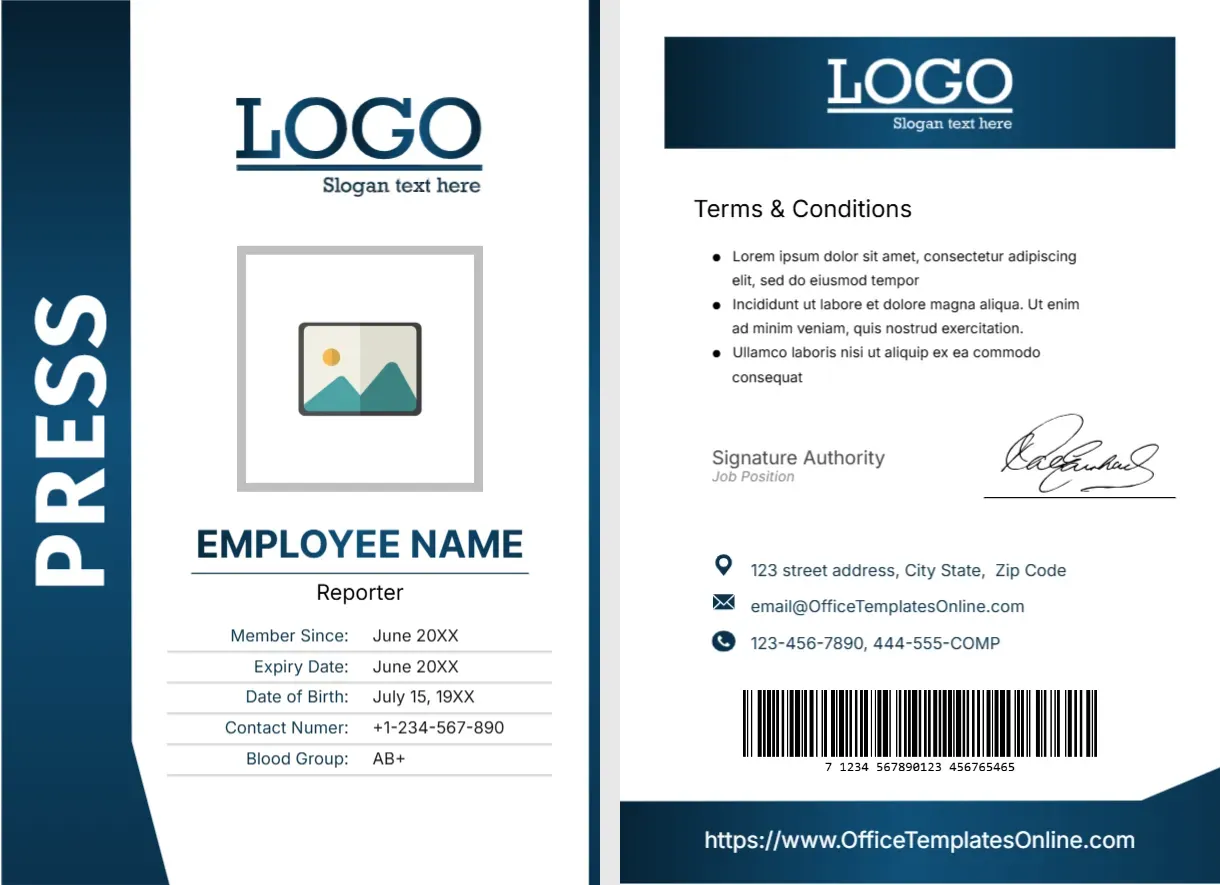
The front of this portrait card has a navy vertical bar with PRESS in white capitals along the left edge. A LOGO with a slogan line sits at the top, over a grey framed photo placeholder, EMPLOYEE NAME in navy and Reporter beneath. A five row table lists Member Since, Expiry Date, Date of Birth, Contact Numer and Blood Group. The back has a navy header, terms, a signature, contacts and a barcode.
A Two Sided Portrait Card
The card is 2.63 x 3.88 inches, a little larger than a credit card, and the design has a front and a back. Print both sides for a full press pass.
Front Rows and Back Contacts
Replace EMPLOYEE NAME and Reporter, then fill each row. The label Contact Numer should read Contact Number. On the back, replace the Lorem ipsum terms, the signature authority, the street address, and the phone and website, which use OfficeTemplatesOnline.com and 444-555-COMP samples.
Preparing the Reporter Card
- Insert the photo.
- Type name and role.
- Fix Contact Numer.
- Fill the table rows.
- Replace the back text.
Identification for Newsrooms
Reporters often need to show a card at events and press conferences. A clear PRESS marker on the front helps staff at the door recognise them quickly.
A Blood Group Row
The table includes a blood group line, which can matter in dangerous assignments. Think about privacy, though, and drop the row if a stranger should not see this detail.
The Navy Bar as a Role Label
The bar says PRESS in large letters. For other roles, change the word, but keep it short so it fits the length of the bar.
A Back With Terms and Signature
The back repeats the logo, lists terms, and carries a signature, contacts and a barcode. Replace the terms with your own wording on card return and misuse, in a few short lines.
A Barcode That Works
The barcode is a picture. If your venue scans cards, generate a real barcode from the card number, and test it with a scanner before you print the batch.
Expiry Dates for Press Passes
A press pass is usually valid for a set period. Print the expiry clearly, and replace passes on time, which prevents old cards from being accepted at events.
Issuing Cards Responsibly
Check identity and employment before issuing any press card. This template is a layout, and your organisation sets the rules for who may carry one.
Step by Step Editing of the Press Reporter Id Card Navy Side Bar Design
- On the press reporter id card navy side bar design, click the main headline and type your own words, keeping a similar length.
- Retype every name, date and contact line on the press reporter id card navy side bar design, checking each against a trusted source.
- Search the press reporter id card navy side bar design for the words Lorem and Company so that no placeholder remains.
- Click any logo or photo on the press reporter id card navy side bar design, choose Replace Image and resize the new picture to fit.
- Zoom the press reporter id card navy side bar design to full size and read each line aloud before you save it.
- Keep a clean master of the press reporter id card navy side bar design without private details, so later versions start tidy.
Have a look at the first press reporter card. Another option is the round dot reporter card. A related layout is the press journalist card. Looking beyond the press reporter id card navy side bar design? See all ID card templates.