Exhibitors Need Access Before Everyone Else
At a trade show, exhibitors arrive early, leave late and move goods in and out through service doors. Security wants to know who is allowed in during set-up and tear-down, and organisers want to know which stand each person belongs to. An exhibitor pass answers both. It names the person, their company, their booth and the dates, and it states that the pass cannot be passed to someone else.
The Front: Green Wave on Charcoal
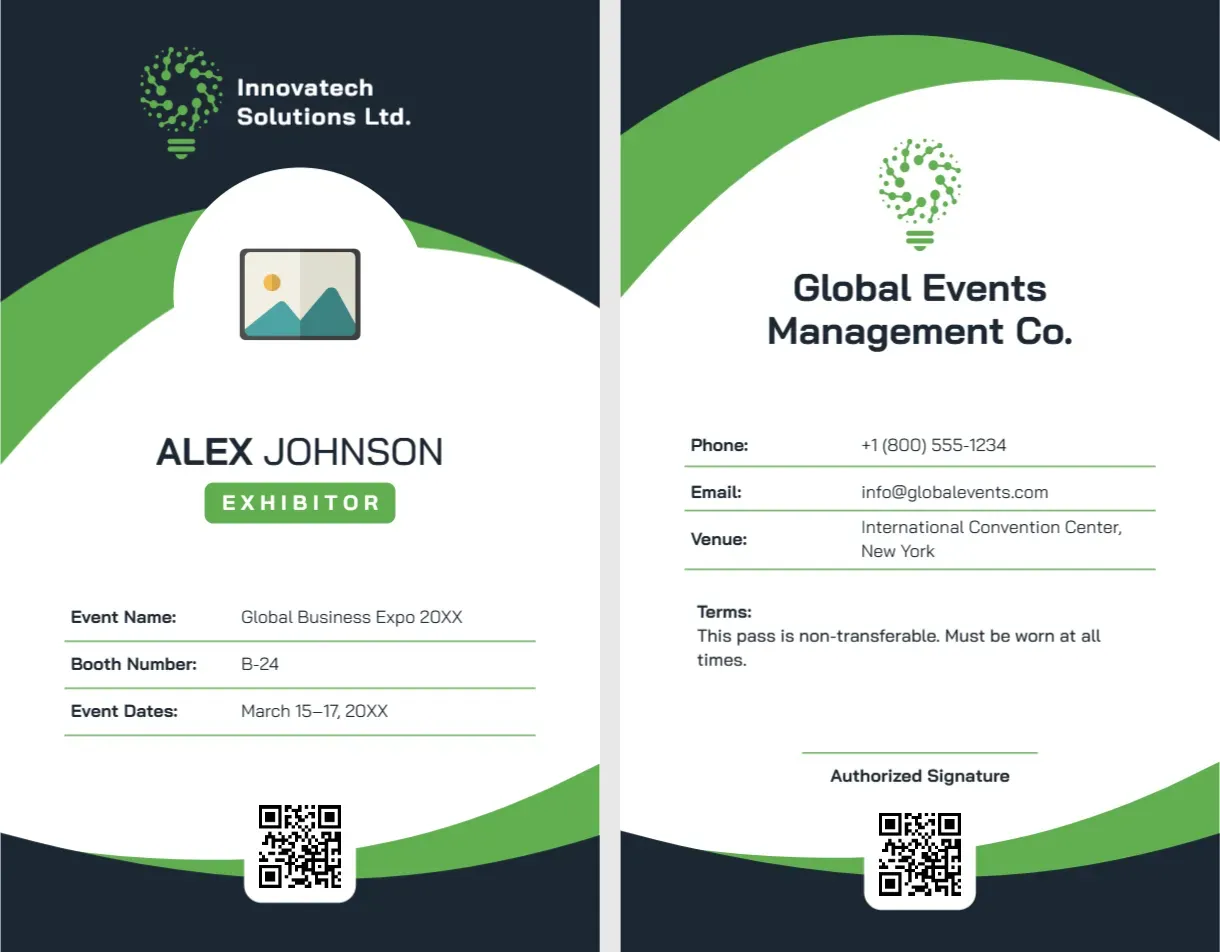
The card is portrait, 2.125 x 3.375 inches. The top is dark charcoal with a bright green wave sweeping across it and a white arched cut-out holding the photo placeholder. At the top, a green and white circuit style logo sits beside Innovatech Solutions Ltd. Under the photo, ALEX JOHNSON is set in dark capitals with a green tag reading EXHIBITOR. Three lines with green underlines read Event Name: Global Business Expo 20XX, Booth Number: B-24 and Event Dates: March 15 to 17, 20XX. A QR code tile sits at the bottom centre.
The Back: Organiser Contact and Terms
The back is white with a green wave at the top and bottom. A logo of a lightbulb made of dots sits above Global Events Management Co. in dark capitals. Below, lines show Phone: +1 (800) 555-1234, Email: [email protected] and Venue: International Convention Center, New York. A short Terms line says: This pass is non-transferable. Must be worn at all times. An Authorized Signature line and a second QR code finish the card.
Whose Logo Goes Where?
The sample puts the exhibitor’s company on the front (Innovatech Solutions Ltd.) and the organiser on the back (Global Events Management Co.). Keep that structure. On the front, replace the logo with the exhibitor company’s. On the back, put the organiser’s logo, venue and phone. That way, security staff see the exhibitor’s identity on the front and the show’s rules on the back.
Staff, Visitors and Exhibitors: One Layout, Three Passes
| Pass type | Tag text | Booth field |
|---|---|---|
| Exhibitor | EXHIBITOR | Booth number |
| Staff | STAFF | Delete or write Floor Team |
| Sponsor | SPONSOR | Sponsor tier |
| Press | MEDIA | Outlet name |
Dates and Set-Up Access
Exhibitors often need access before the show opens. If so, add the set-up days to the Event Dates line, for example March 14 to 17, with the first day marked as set-up only. Clear dates prevent arguments with security on the morning of the build.
A Practical Note on the Photo
A photo reduces badge sharing between colleagues from the same company. Click the placeholder and choose Replace Image. Collect photos with registration. If that is not practical, you can delete the photo and enlarge the name.
Printing Event Passes
Print on 250 to 300 gsm card stock and insert into a vertical badge holder with a lanyard. Both sides should be aligned. Print a few spares with blank names for last minute staff. If your venue scans badges, make sure the QR code is real and tested.
For a conference attendee pass, see the conference attendee ID card. For a volunteer pass, see the event volunteer ID card. More are in ID cards.