Two Weeks of Lessons in a Brown and Sage Table
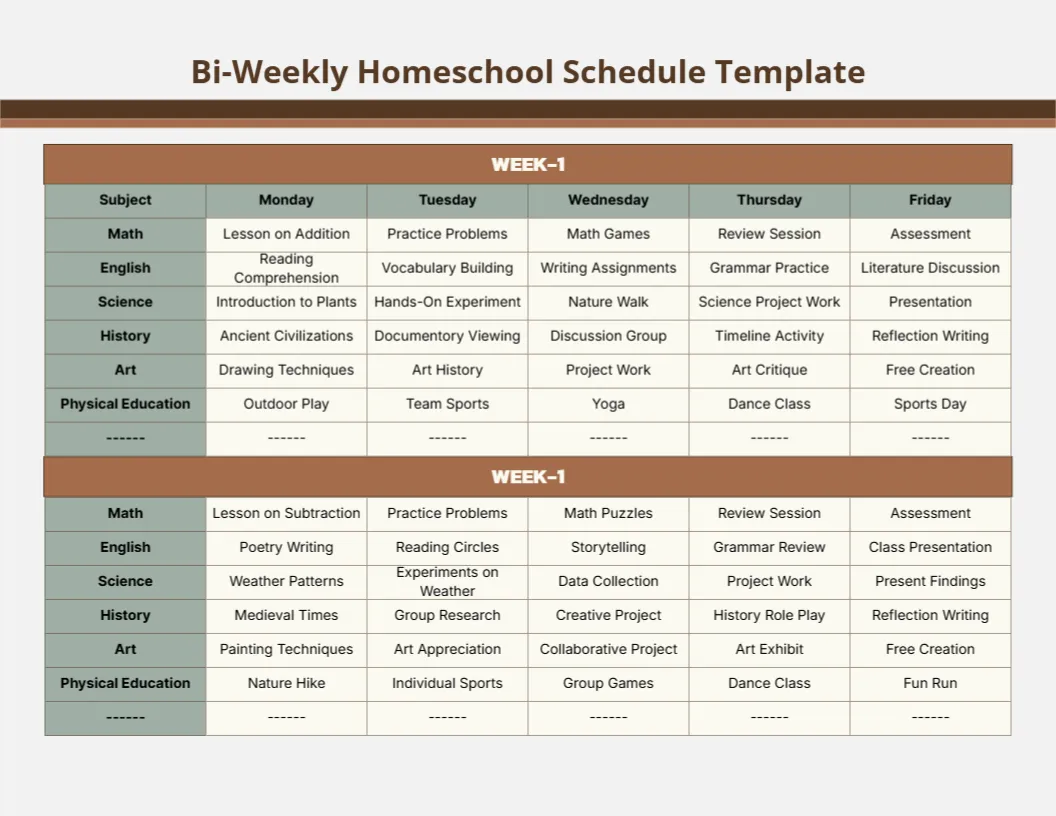
A grey page with a brown band under the title carries a table with brown week headers and sage subject cells. Each week lists six subjects, Math, English, Science, History, Art and Physical Education, with a specific lesson for each weekday, such as Lesson on Addition, Practice Problems, Math Games, Review Session and Assessment for the first week of maths.
Two Week Blocks
The page is 11 x 8.5 inches, landscape. Two weeks of lessons sit one above the other, which helps you plan a fortnight in one sitting.
Week Labels, a Typo and Dash Rows
Both week headers read WEEK 1, so change the second to WEEK 2. The history row lists Documentory Viewing, which should be Documentary. Each week ends with a row of dashes, which you can delete or use for an extra subject. The title also prints the word Template, which you can delete.
Setting Up the Bi Weekly Plan
- Change the second week to WEEK 2.
- Fix Documentory.
- Remove or use the dash rows.
- Delete Template from the title.
- Replace lessons with your own.
Planning in Two Week Cycles
Two week cycles give enough time to introduce, practise and review a topic. The sample shows that pattern in maths, moving from a lesson to an assessment.
Balancing Subjects
Six subjects each day may be a lot for younger children. Combine art and PE on some days to lighten the load. Older children may manage all six, especially if some sessions are short.
Printing Landscape Tables
Print in landscape on letter paper. The sage cells look good in colour or greyscale.
Reusing the Structure
Keep the subject rows and change only the lessons for each new fortnight. This saves time and keeps the layout familiar for children.
Assessment Days
Fridays end with assessments or presentations, which gives a natural review point.
Tracking Progress
Tick each lesson as you complete it and note any that need repeating.
Using the Bi Weekly Schedule
Plan every other weekend.
Step by Step Editing of the Bi Weekly Brown Sage Table Design
- On the bi weekly brown sage table design, click the main headline and type your own words, keeping a similar length.
- Retype every name, date and contact line on the bi weekly brown sage table design, checking each against a trusted source.
- Search the bi weekly brown sage table design for the words Lorem and Company so that no placeholder remains.
- Click any logo or photo on the bi weekly brown sage table design, choose Replace Image and resize the new picture to fit.
- Zoom the bi weekly brown sage table design to full size and read each line aloud before you save it.
- Keep a clean master of the bi weekly brown sage table design without private details, so later versions start tidy.
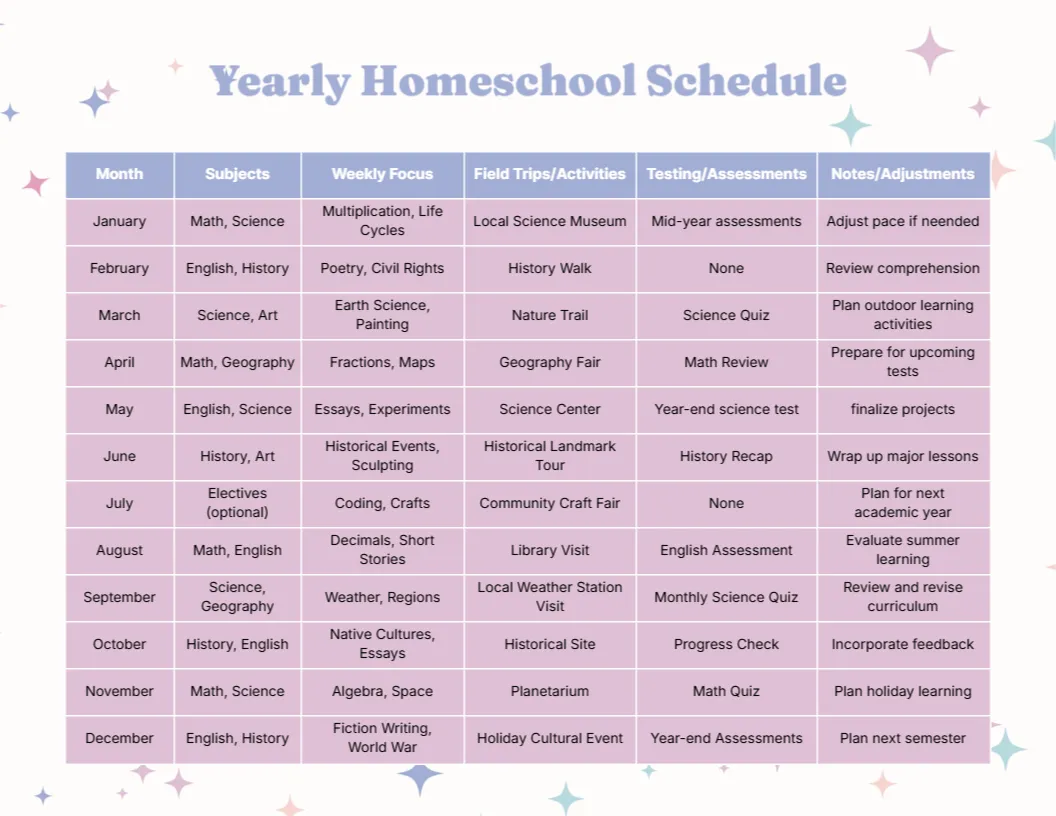
For comparison, open the yearly homeschool schedule. Consider the subject specific schedule. Similar designs include the monthly planner. Looking beyond the bi weekly brown sage table design? See all homeschool planner templates.